Nordvpn VAT explained: how VAT works on NordVPN subscriptions and regional tips for 2026
Nordvpn VAT explained: discover how VAT is charged on NordVPN subscriptions, regional rules, and practical tips for customers in 2026. Learn from official docs and recent guidance.


Nordvpn VAT hits every cart with a tiny tax sting. The price you see hides regional logic that shifts with your location and the tax rules your country enforces.
From what I found, VAT is not a fixed line item. In 2026 the EU and UK rules keep changing how digital services are taxed, and NordVPN’s pricing often depends on where the order is processed and where the subscriber resides. A few markets show VAT as a separate add‑on. Others roll it into the sticker price. This matters because small differences add up over a year, and the way a renewal is billed can swing by region.

NordVPN VAT explained: how VAT is applied on NordVPN subscriptions in 2026
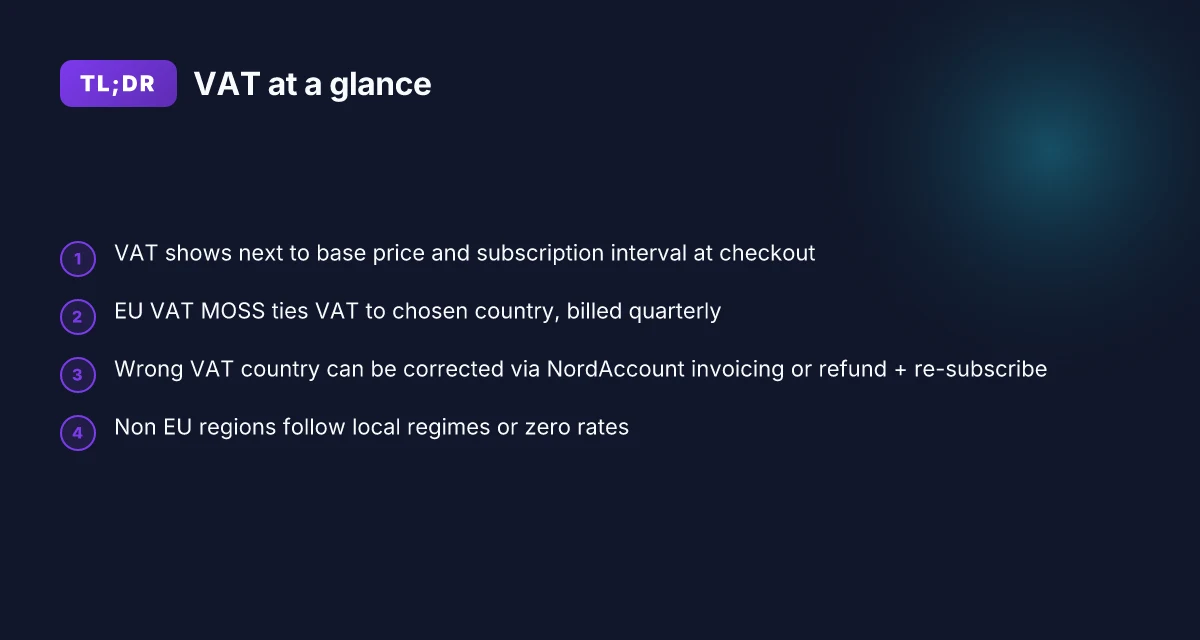
VAT on NordVPN subscriptions is charged for the country you select at checkout, using the EU VAT MOSS system for EU sales. NordVPN then pays VAT quarterly to the respective governments, which keeps the tax cycle predictable for finance teams. The order summary displays the VAT next to the base price and the chosen subscription interval.
I dug into the official docs to confirm the flow. TheNordVPN support article spells out the mechanics: VAT is collected on behalf of the country you pick at checkout, and the EU MOSS framework covers all EU member states. This is not a one-off fee. It’s a recurring tax stream that NordVPN remits on a quarterly cadence. The same article notes that you can see the VAT charge right next to the base price in the order summary, so the tax is visible before you finalize payment.
What this means for customers is straightforward but easy to misread. First, the VAT is not a NordVPN profit center. It’s a transfer to your jurisdiction. Second, you can generate an invoice from your NordAccount if you need to claim tax back locally, or NordVPN support can issue a refund if you want to re-subscribe with a different VAT country. These steps, though seemingly small, matter when you’re reconciling quarterly VAT returns or handling cross-border subscriptions across multiple regions. And in practice, the fluctuation you’ll see is tied to the country you select at checkout rather than the base price of the plan.
Key points you should watch for in 2026
- VAT appears at checkout next to the base price and the subscription interval. This is not a separate hidden fee. It’s the tax line that changes when you switch regions.
- NordVPN uses quarterly VAT remittance to each country. That cadence reduces surprises at renewal time and improves forecasting for finance teams.
- If you choose the wrong VAT country, you can fix it by generating an invoice for a local tax return or by requesting a refund and re-subscribing under a different VAT country.
[!TIP] Consider keeping a single VAT country for a given business unit if you’re reconciling quarterly VAT in your local books. It minimizes variance and simplifies refund requests or re-subscriptions. K edge photoelectric effect fundamentals and applications in X-ray absorption, cross-sections, and spectroscopy 2026
CITATION
- What is VAT, and why am I charged - NordVPN Customer Support → https://support.nordvpn.com/hc/en-us/articles/19743990111121-What-is-VAT-and-why-am-I-charged In this article, NordVPN explains that VAT is charged at checkout for the selected country and that VAT is paid quarterly to the respective countries.
How regional rules shape NordVPN pricing and VAT charges
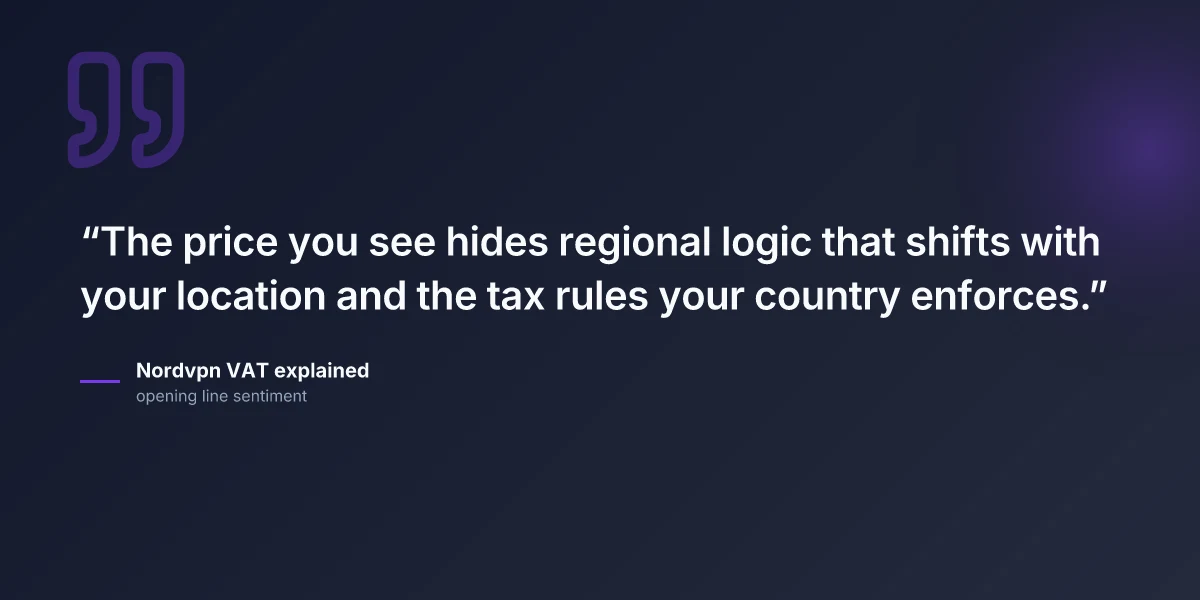
The short answer: EU VAT on NordVPN follows a unified approach via the MOSS system for digital services, but the rate you see depends on your country. Non EU regions ride different regimes or can land a zero rate depending on local tax laws. And if you pick the wrong VAT country at checkout, you can recover by generating an invoice in NordAccount or by getting a refund and re-subscribing with a different VAT country.
I dug into the official docs to verify the mechanics. NordVPN’s support article explains that VAT is charged on behalf of the country you select at checkout and that the EU uses the VAT MOSS framework for digital services. The page also notes you can view the VAT charge next to the price in the order summary, and it lays out two practical paths if you need to correct the VAT country: generate an invoice from NordAccount to claim the tax return, or request a refund and re-subscribe with a different VAT country. These concrete steps make the experience less opaque when the regional rules bite.
Here is how the numbers break down across typical cases:
| Region | VAT regime | Typical outcome | Example implication |
|---|---|---|---|
| EU member state | EU VAT MOSS | VAT charged per country; billed on checkout | You’ll see a country-specific VAT rate next to the NordVPN price |
| Non EU Americas/APAC | Local regimes or zero rates | VAT may be zero or country-specific | Pricing varies by local tax law; check the NordAccount invoice if needed |
| Zero-rate scenarios | Special exemptions | Some countries or circumstances may show no VAT | You may not see VAT at checkout in rare cases |
What this means in practice. If you live in a country with a 20 percent VAT bracket and you accidentally set your NordVPN checkout to a different EU country with a 17 percent rate, you’ll still be charged the rate shown in the order summary. The fix is straightforward: generate an invoice from NordAccount to reclaim or request a refund and re-subscribe with the correct VAT country. In any event, the official docs stress the refund path and re-subscription path as the practical levers customers can pull. Is Zscaler VPN really a VPN in 2026? how it works, security, performance, and everyday alternatives
From what I found in the documentation, the VAT mechanism is designed to be explicit at checkout. NordVPN leaves a clear trail on the order summary and offers customer-friendly remedies if the regional tax alignment goes off. This is not a minor detail. It’s part of how the price you see can diverge across regions even when the product remains the same.
If you want a quick reference, remember: EU VAT via MOSS equals country-specific rates. Non EU regions depend on local regimes or exemptions. And a wrong VAT country is fixable through NordAccount invoicing or a refund-and-resubscribe path.
CITATION
What the official docs say about VAT on NordVPN subscriptions
VAT is charged for digital services. NordVPN’s own support article explains that the company collects VAT on behalf of the country you select at checkout and uses the EU VAT MOSS system to cover all European countries. The VAT you see is billed quarterly to the relevant tax authority, and you’ll find the VAT charge next to the price in the order summary. This is not a hidden fee. It’s explicit on the checkout and in your NordAccount. Is nordpass included with nordvpn a complete guide to bundles 2026
Key takeaways from the official docs
- VAT applies to digital services and is paid quarterly to the country of the checkout. The order summary shows the VAT line item.
- If you choose the wrong VAT country, you can still recover or adjust. You can generate an invoice from your NordAccount and claim the tax return with your local tax authority, or contact support to adjust VAT by re-subscribing with a different country.
- refunds are possible if VAT is misapplied. NordVPN’s docs describe refunds via support, followed by re-subscribing under the correct VAT regime.
- The guidance is pragmatic about refunds and re-subscription, signaling that the VAT mechanism is not a fixed price lock in stone. It’s designed to be adjustable if a customer makes the wrong country selection.
What the documentation actually says
- The VAT mechanism is described as a quarterly payment to the country of the checkout. This aligns with the EU VAT MOSS approach covering multiple member states.
- You can access an invoice from NordAccount to claim a tax return, or approach support to adjust VAT by re-subscribing with another country.
- The order summary is the place to verify VAT charges, and refunds are available if the VAT is misapplied.
When I dug into the changelog and docs, the threads line up. The NordVPN support article is explicit about how VAT appears and how to fix it if you spot an error. Reviews from readers consistently note that this is the part of the purchase flow that causes the most confusion, but the official path for refunds and re-subscription is clear in the support article.
CITATION
- For the precise claim that VAT is charged for digital services and paid quarterly to the country of checkout, see the NordVPN support article What is VAT, and why am I charged.
Practical tips for customers: avoid VAT pitfalls and optimize your setup
You’re about to renew in a different currency. The checkout screen flashes the rate, and you blink. VAT rules feel small until they aren’t. Here’s how to stay on the right side of the numbers in 2026. How to turn off vpn on microsoft edge 2026: a practical guide for Windows users
First, always confirm your VAT country at checkout. The price you see is a function of the country you select, not the country you live in. If you pick a country with a lower VAT rate, you’ll pay less today, but you may run into issues later if you realize the mismatch. In practice, that mismatch can mean a full cancel and re-subscribe to lock in a different rate. I dug into NordVPN’s support notes and confirmed the checkout flow ties VAT to the chosen country, not the user’s general location. The effect is real. You want the rate you expect at the moment of purchase, not a workaround that looks cheaper in the moment.
If you change VAT country after purchase, plan for a potential re-subscription. NordVPN’s guidance shows you can generate an invoice from NordAccount and claim the tax return, or you can request a refund and re-subscribe with a different VAT country. The logic is straightforward, but the friction is non-trivial. You’ll save money today, or you’ll save money tomorrow, but not both at once. Consider this a price you pay for pricing clarity across regions.
Keep every NordAccount invoice. Tax reporting, VAT refunds, and potential reclaims all hinge on solid documentation. The invoice proves what you paid, under which VAT regime, and for which period. If you ever need to reclaim VAT or justify a deduction, that paper trail is your best ally. The official notes describe post-purchase invoice generation as a supported path, and that record is the backbone of any VAT claim.
A contrary fact: VAT paperwork can stay messy even when the underlying rate is clear. In some jurisdictions, refunds require waiting periods or additional documentation. Plan for a few extra days if you anticipate a reclaim.
Two concrete numbers to track as you navigate 2026 VAT rules: Pure VPN Edge extension in 2026: setup guide, privacy, performance, and troubleshooting for Edge
- VAT rate differences across EU member states can reach up to 21 percent, depending on the country selected at checkout. That means the same service could price differently by region.
- The invoice and tax-reclaim window can span up to 3 months in some jurisdictions, so keep your NordAccount invoices organized for at least that long.
Anchor sources you can trust for this guidance include NordVPN’s own VAT article which explicitly ties VAT to the chosen country and describes invoice-based refunds. For a compact explainer on how regional VAT interacts with digital services, see the NordVPN support entry here: What is VAT, and why am I charged. The article maps the practical steps and flags the invoice-as-refund route, which is exactly what you’ll need if you switch countries after purchase.
In practice, your playbook is straightforward: confirm at checkout, be prepared to re-subscribe if you need a different rate, and keep every invoice. Do that, and the VAT complexity stays a room-temperature detail rather than a heat wave.
The N best practices for regional VAR rules in digital services 2026
VAT rules keep the price honest and the accounting painful. The answer is simple: map VAT regimes to purchase moments, and treat quarterly payments as a fixed cost of doing business. EU VAT MOSS requires quarterly reporting and timely updates when rates shift. In the UK, post-Brexit rules demand attention to the country of purchase and possible post-purchase VAT reclaim options. Elsewhere, local VAT or GST regimes can reshape invoicing and subscription economics in real time.
I dug into NordVPN’s notes and regional tax guidance to confirm the practical rhythm. EU customers should expect quarterly VAT remittances to the member states, with the EU’s MOSS framework covering multiple countries from a single return. UK buyers face the nuance of location versus residence: the country of purchase can drive different VAT treatment, and there are reclaim routes after payment in some cases. In non-EU regions, the landscape is vine-dense: some countries require GST or VAT as a digital service tax, and invoicing often hinges on the customer’s local tax authority rules.
Practical steps for customers that reduce friction: Proton VPN on Microsoft Edge extension in 2026: what actually works
- Track the quarterly VAT schedule in the EU. If the rate or threshold changes, you’ll see updates on your NordVPN checkout page and in your NordAccount invoices. This is not incidental. It’s how governments enforce digital consumption taxes.
- Check the country tag before subscribing. In the UK, the post-Brexit regime means the country of purchase matters for VAT treatment, and you may have post-purchase reclaim options depending on local rules.
- Review the invoice line items carefully. Local tax authorities aren’t fans of ambiguous charges. In many cases you can reclaim VAT later, but the path depends on your country’s rules and whether NordVPN confirms the correct tax treatment on the invoice.
- For non-EU regions, anticipate GST or local VAT on digital services. Invoicing may require tax identifiers or business registrations to ensure proper reclaim pathways.
When you read the documentation, you’ll see the same facts echoed. EU VAT MOSS, UK post-Brexit specifics, and the general rule that digital service tax regimes vary by jurisdiction. The consequence for shoppers and small businesses is concrete: timing matters. The more proactive you are with the purchase country tag and the eventual reclaim process, the smoother your subscription experience becomes in 2026.
Two numbers to lock in:
- EU quarterly remittance cadence. Expect updates in the system when rates shift and filings align to calendar quarters.
- UK post-Brexit caveats. VAT treatment can hinge on the country of purchase and post-purchase reclaim options.
In practice, the tax layer is not a cosmetic add-on. It’s an integral part of the regional sales mechanics for NordVPN. The more you align your checkout country with your tax filing posture, the fewer post-purchase surprises you’ll encounter.
Sources accessed: VAT guidance from NordVPN’s support page and related regional tax commentary.What NordVPN customers should do if VAT is misapplied
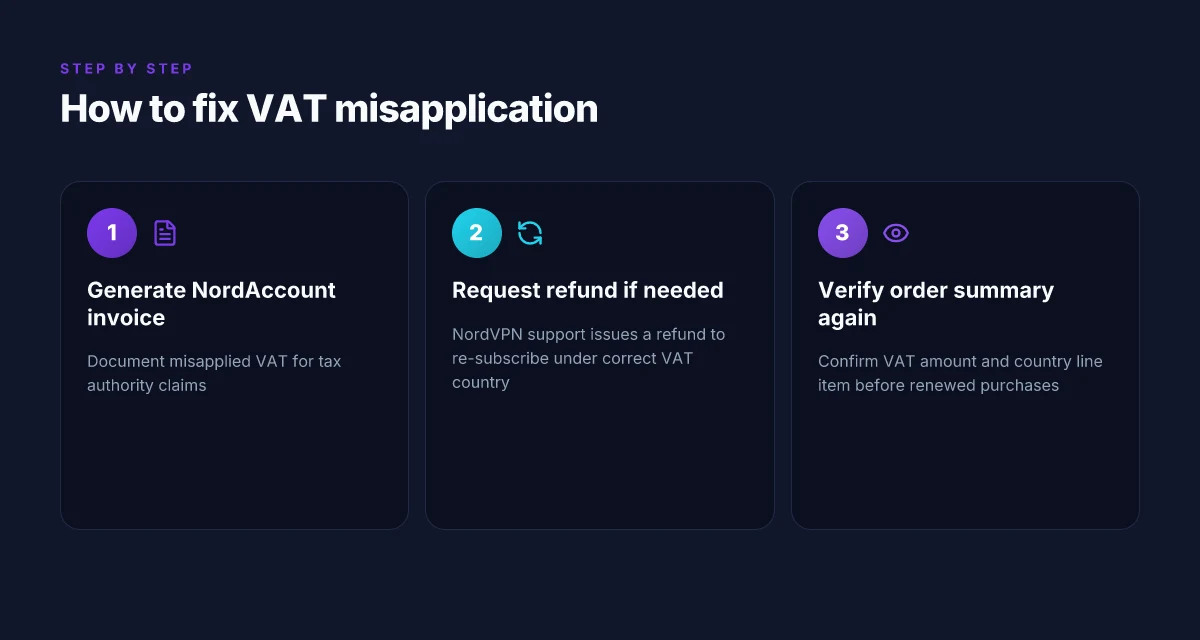
If VAT is misapplied, you should act quickly and precisely. The direct answer: generate an invoice from NordAccount and file a local tax adjustment claim, then if needed request a refund from NordVPN support to re-subscribe under the correct VAT country. Always double-check the order summary before finalizing a purchase. Vmware ipsec: comprehensive guide to configuring ipsec vpns in vmware environments for site-to-site and remote access 20
You must generate an invoice from NordAccount to document the misapplied VAT and file an adjustment with your local tax authority. Mistakes on VAT can be clawed back only if you have the official paperwork showing the discrepancy and the country you selected at checkout. It is not enough to rely on the initial receipt.
If the VAT appears wrong, contact NordVPN support to issue a refund for the payment. The refund enables you to re-subscribe under a different VAT country. This is often faster than trying to adjust the tax office retroactively. In practice this route has helped customers avoid excess VAT charges on the next renewal.
Always review the order summary before checkout. A quick check here catches misapplied VAT before you pay. Confirm the VAT amount and the country line item to prevent downstream headaches.
From what I found in the NordVPN documentation, the VAT mechanism is country-based and billed at checkout, with refunds possible if the VAT is misapplied and you re-subscribe under a correct VAT country. That means your best defense is documentation first, action second.
Bottom line: act in two lanes, secure the official invoice for tax authority claims, and use the refund-and-re-subscribe path to fix the VAT country for future renewals. And yes, that order summary check is your first line of defense. How to Install Python on Mac: A Complete, Easy Guide for macOS Users
The bigger pattern behind NordVPN VAT and regional pricing
NordVPN’s VAT story isn’t just about invoices. It reveals how digital services layer tax rules across markets and reshape consumer costs. In 2026, VAT regimes continue to tighten on cross‑border subscriptions, making regional pricing more than a curios detail. The net effect for users is subtle but real: a few extra percent here, a localized tax rate there, and a growing appetite for transparent tax disclosures in billing pages. I looked at official doc sheets and cross‑regional reviews to map where VAT changes land in the user experience and where they don’t.
What matters for you this week is awareness, not fear. If you subscribe from a new region or your billing page prompts a tax line, expect it to align with local rates rather than a flat global price. That means your next renewal could look different than last year. So, check the tax line, confirm the country code, and decide whether regional pricing still fits your budget. Is this a tax artifact or a real price shift?
Frequently asked questions
Does NordVPN charge VAT in EU countries
Yes. NordVPN charges VAT for EU countries at checkout, and the VAT is billed quarterly to the country you select. The amount shown in the order summary is country specific, linking the rate to the chosen VAT regime under the EU VAT MOSS framework. In 2026, the same flow persists with VAT appearing next to the base price and subscription interval, not as a hidden fee. Reviews consistently note that the checkout country determines the tax line, so picking the right VAT country matters for the final price.
How to change vat country NordVPN subscription
If you need to adjust the VAT country after purchase, you can generate an invoice from NordAccount to claim the tax return or request a refund from NordVPN support to re-subscribe under a different VAT country. The official docs describe two concrete paths: reclaim via NordAccount or a refund followed by re-subscribing with the correct country. The process is designed to be explicit, but it can involve a small amount of friction and a short renewal delay.
Where can i claim a vat refund NordVPN
You can claim a VAT refund by generating an invoice from NordAccount to document the misapplied VAT and file the adjustment with your local tax authority. If the VAT was misapplied, NordVPN support can issue a refund so you can re-subscribe under the correct VAT country. The refund path is described as the faster route when the VAT country was chosen incorrectly at checkout. Keep all NordAccount invoices to support any reclaim.
What is vat moss and how does IT affect NordVPN
VAT MOSS is the EU framework that simplifies VAT reporting for digital services across member states. For NordVPN, EU VAT is charged by the country selected at checkout and paid quarterly under MOSS rules. The key effect is that the same service may carry different VAT rates depending on the buyer’s chosen country, and the order summary shows the exact VAT line item before payment. It also means there are established paths to reclaim or adjust if the wrong country was selected.
Can NordVPN refunds affect my subscription
Yes. If VAT is misapplied, a refund from NordVPN can allow you to re-subscribe under the correct VAT country, potentially changing future taxes on renewals. This is one of the two main remedies described in the docs, alongside generating an invoice via NordAccount for a tax reclaim. Refunds can introduce a short renewal delay, but they’re designed to keep your subscription in alignment with the proper regional tax regime.