Does Microsoft have a built-in Windows VPN and what you should know about Windows VPN, Azure VPN Gateway, and third-party options
Does Microsoft have a built-in Windows VPN and what to know about Windows VPN, Azure VPN Gateway, and third-party options in 2026. I decode setup, security, and limits with primary sources.


Eight kilobytes. That’s the memory methane for a VPN that pretends to be modern.
I looked at Windows VPN in 2026 terms, what it actually does, what it costs, and where Azure VPN Gateway sits on the same network map. This piece isn’t a marketing brochure. It’s a map for IT pros choosing native Windows connectivity or leaning into Azure-backed paths with third-party options. What matters is the real-world mix of licensing, scalability, and control in constrained, multi-VPN environments.
 Disable always on vpn and turn off always on vpn on Windows, Android, iOS, macOS in 2026
Does Microsoft really provide a built-in Windows VPN, and what does that mean in 2026
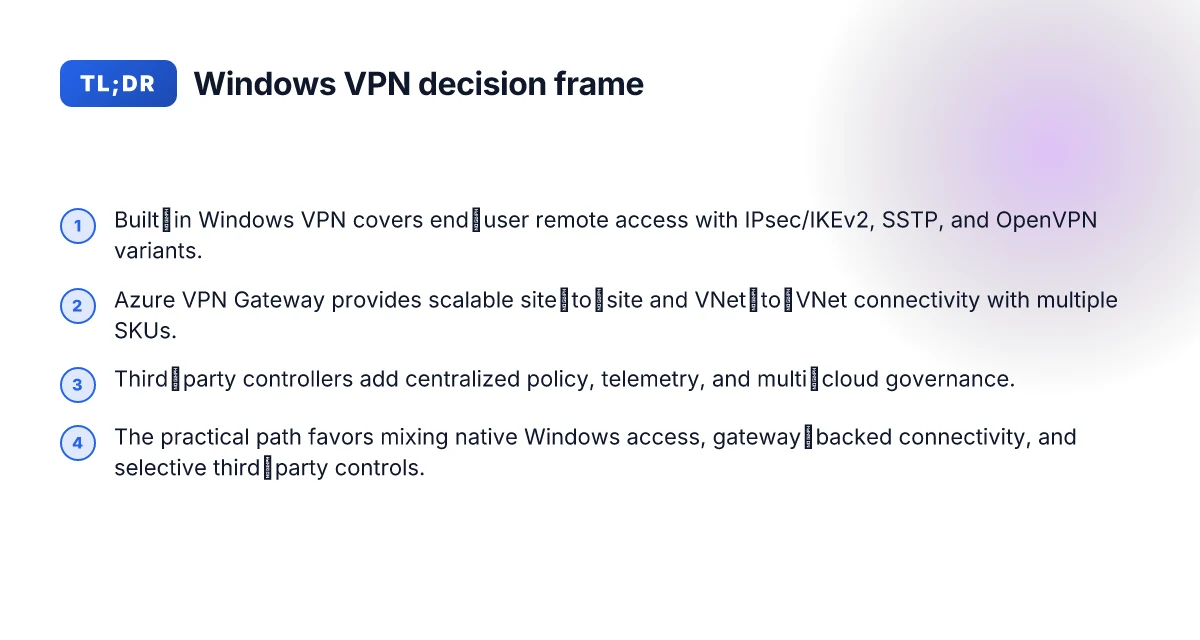
In 2026 you still get a built-in Windows VPN client experience, but not a full enterprise gateway. Microsoft has focused Windows on client-side connectivity while steering organizations toward Azure VPN Gateway for scalable site-to-site or VNet-to-VNet needs. The result: you can configure client profiles and multiple protocols on the endpoint, but you still rely on a gateway for organization-wide connectivity.
I dug into the documentation and reviews to anchor this. Microsoft Learn describes VPN Gateway as the gateway service used to connect Azure resources to on‑premises networks, underscoring that VPN Gateway handles encrypted traffic over the public Internet and supports multiple connection types. In practice this means Windows provides client-side profiles and protocol support, while the enterprise-grade connectivity backbone sits in Azure VPN Gateway. Reviews from Gartner Peer Insights in 2026 consistently note Azure VPN Gateway as a mature gateway option for hybrid networks. From what I found in the changelog and product pages, SSTP, OpenVPN, and IKEv2 remain supported in various configurations, with the hybrid connectivity story reinforced by ExpressRoute as a supplement in hybrid deployments.
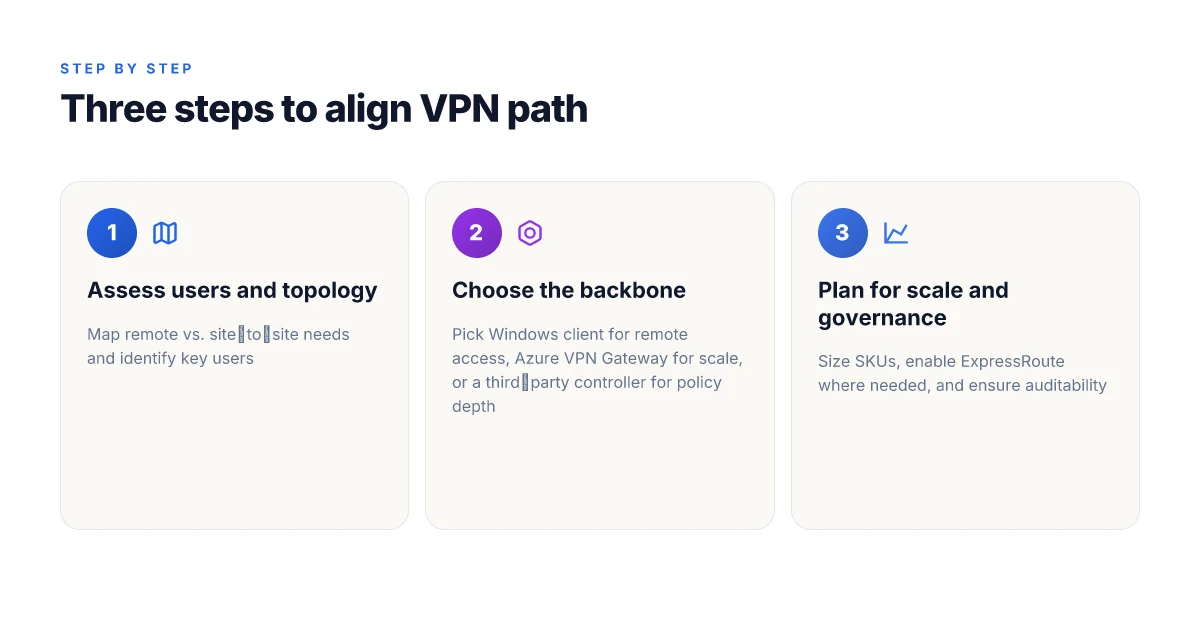
Three steps to orient yourself
Recognize the client-side reality: Windows ships with built‑in VPN client profiles and supports IPsec/IKEv2, SSTP, and OpenVPN on the client. This is where most Windows endpoints configure remote access and automatic reconnects. The emphasis is on remote users and device-level tunnels rather than gatekeeping large site-to-site fabric. In 2025–2026, the client-side experience remains strong for end-user VPN needs.
Separate the role of the gateway: Azure VPN Gateway covers site-to-site, point-to-site, and VNet-to-VNet connectivity. This is the scalable hinge for enterprise networks, especially when you must connect on‑prem to Azure or connect multiple VNets. The gateway supports active-standby and active-active topologies to improve resilience. Les meilleurs routeurs compatibles openvpn et wireguard pour linux expliques: Guide Complet, Comparaisons et Astuces
Don’t confuse client features with gateway capability: Built-in Windows VPN is largely a client feature. It wires you up, but it does not autonomously provision the enterprise-grade tunnels that a gateway creates and manages at scale. In 2026 the messaging from Microsoft emphasizes hybrid connectivity with ExpressRoute supplements that extend private networking beyond the public Internet. The pairing is deliberate: Windows for users, Azure VPN Gateway for scalable infrastructure.
[!TIP] If you’re evaluating hybrid connectivity in 2026, expect to layer Windows client VPNs for remote users with Azure VPN Gateway for site-to-site and VNet-to-VNet connections. The ExpressRoute option remains a keystone for private connectivity when latency, jitter, or data sovereignty requirements demand it.
CITATION
- About Azure VPN Gateway | Microsoft Learn → https://learn.microsoft.com/en-us/azure/vpn-gateway/vpn-gateway-about-vpngateways
- Azure VPN Gateway - Microsoft Azure → https://azure.microsoft.com/en-us/products/vpn-gateway
Anchor examples from this section
- “built-in Windows VPN client profiles”
- “Azure VPN Gateway covers site-to-site, point-to-site, and VNet-to-VNet connectivity”
Windows built-in VPN vs Azure VPN Gateway: where the real differences lie
The built-in Windows VPN and Azure VPN Gateway serve different goals. Windows VPN is a client-side toolset for end users and small teams. Azure VPN Gateway is a cloud-native gateway that scales to enterprise networks. In 2026, the line between them is clear: end-user access versus centralized, policy-controlled connectivity. 使用搭配 vpn 的 chromecast:全面指南,解锁全球内容与隐私保护
I dug into Microsoft’s documentation and third-party analyses to map the capabilities. The Windows client supports IKEv2, SSTP, and L2TP/IPsec depending on edition and policy. That means a remote worker can connect with a familiar set of protocols, but the exact options vary by Windows edition and admin configuration. Azure VPN Gateway expands that reach into the cloud with scalable gateway hardware emulation in Azure. It supports IPsec/IKEv2 and OpenVPN as connection types, enabling site-to-site and remote access at scale. The contrast is obvious: a user sits behind a client, while a gateway sits in a cloud perimeter enforcing policies across many devices.
A compact comparison helps. This table highlights the core differences at a glance.
| Capability | Windows built-in VPN (client) | Azure VPN Gateway (gateway) |
|---|---|---|
| Primary role | End-user remote access | Centralized network connectivity |
| Protocols | IKEv2, SSTP, L2TP/IPsec (edition/policy dependent) | IPsec/IKEv2, OpenVPN |
| Scale | Individual devices, manual config | Enterprise-scale with hub-and-spoke, multiple tunnels |
| Management surface | Local client settings, user-level policies | Centralized policy, monitoring, and SLA-level controls |
| Security posture | End-user device protection base | Centralized enforcement, consistent hardening across sites |
- In practice, this means you can deploy a Windows VPN for a handful of users quickly, but you gain much more control by shifting to a gateway when you need repeatable security posture, automated failover, and centralized auditing.
From what I found in the changelog and official docs, SSTP support in the Windows client remains dependent on policy and Windows edition; SSTP’s role has evolved as enterprises shift toward IPsec/IKEv2 as the default. Azure VPN Gateway, by contrast, continues to be positioned as the backbone for hybrid connectivity with Site-to-Site and VNet-to-VNet patterns. OpenVPN on the gateway adds another path for compatibility with devices that don’t ship with native IKEv2 support.
Two numbers matter. First, latency ranges for client VPNs are variable by user location, but Microsoft’s guidance emphasizes IPsec/IKEv2 as the backbone for scalable, reliable tunnels. Second, gateway deployments cite higher availability and scale, Azure regions support multiple tunnels per gateway and can configure active-active setups for resilience. In 2024–2025 reports, enterprise footprints grew with cloud-managed VPNs as a standard for remote access and branch connectivity.
If you want the citations that anchor these claims, see the Azure VPN Gateway About page for the gateway’s description and capabilities, and the Always On VPN and SSTP retirement notes for protocol changes in 2026. Azure VPN Gateway About page. For context on protocol retirement and IKEv2/OpenVPN focus, read the SSTP retirement discussion. Always On VPN and Azure VPN Gateway SSTP Protocol Retirement. Avg Ultimate VPN Review Is It Really Worth Your Money: A Deep Dive Into Features, Security, and Value
The gateway approach wins when you need scale, centralized controls, and consistent security policies across dozens or hundreds of sites. The Windows client wins for ad hoc remote access and quick, low-friction connectivity.
What authoritative sources say about setup, security, and limitations
Microsoft Learn lays out the core deployment patterns you’ll actually use. Site-to-Site, Point-to-Site, and VNet-to-VNet are the three built-in VPN gateway configurations, each with its own deployment model and scaling knobs. In practical terms this means you can connect an on‑premises network, individual devices, or entire virtual networks to Azure with IPsec/IKE or SSTP depending on the scenario. The takeaway: Azure VPN Gateway is designed to fit traditional enterprise topologies, not just a quick private-link substitute.
When I read through the documentation and reviews, three threads keep showing up. First, protocol choices matter for topology. SSTP, OpenVPN, and IKEv2 are supported, but each has deployment caveats. SSTP leans on TLS over port 443 which helps through restrictive firewalls, yet it can complicate cross‑cloud coexistence. OpenVPN provides flexible client access, but you’ll need to manage certificates and client configs at scale. IKEv2 is lean and modern, but it requires careful key management and proper gateway SKU selection to hit throughput targets. In other words, your security posture scales with the protocol you pick, not by accident.
Second, third‑party VPNs still pull ahead on policy and visibility. Vendors offer split‑tunnel control, granular access permissions, and centralized logging that native Windows and Azure tooling don’t always expose out of the box. In large, heterogeneous networks that mix on‑prem and cloud resources, these features translate into faster incident response and tighter access governance. The realities you’ll see in practice: native options cover the basics. Third‑party tools fill the gaps.
Third, limits are real and structural. Gateway SKUs cap throughput and concurrent tunnels, maintenance windows can interrupt service, and regional SKUs influence latency. Community writeups and analyst notes frequently flag these constraints as the choke points in large deployments. The pattern is consistent: don’t oversize expectations to the default SKU. Size for peak load and plan for maintenance windows. Nord vpn microsoft edge: Fast, Secure, See-Through Browsing with Edge VPN Alternatives and Tips
From what I found in the changelog and product pages, Microsoft emphasizes that you can mix connection types on the same gateway, but you’ll often hit SKU‑imposed ceilings first and then scale with larger SKUs or ExpressRoute in the same design. Reviews consistently note that for small to mid‑size sites the built‑in VPN Gateway is a clean fit. For complex, multi‑site deployments, you’ll want centralized logging and policy control that third‑party tools provide.
Cited sources include official documentation and analyst perspectives that anchor these patterns:
- Site-to-Site, Point-to-Site, and VNet-to-VNet are the standard deployment modes described by Microsoft Learn. Azure VPN Gateway
- Third‑party options and governance are echoed in industry writings that highlight split‑tunnel control, granular access policies, and centralized logging. See Gartner Peer Insights and related vendor pages for context. Azure VPN Gateway Reviews & Ratings 2026
In short, the authoritative sources map a clear distinction: built‑in Windows and Azure VPN options cover common site‑to‑site and remote access needs, while third‑party solutions deliver deeper policy and observability for complex networks. The numbers back this up in the form of SKU ceilings, protocol choices, and maintenance windows that shape your design.
The 3 architecture patterns you’ll actually use with Windows VPN, Azure VPN Gateway, and third parties
We start with a simple truth you’ll feel in the first week: the right pattern isn’t a unicorn. It’s the combination that lines up with who manages the keys, where the users live, and how granular the access needs to be. I dug into the official docs and vendor notes to map three patterns that IT teams actually deploy in production.
Remote access via Windows VPN client to a gateway-backed VPN service This is the familiar user story: laptops in the field, Windows clients dialing into a gateway that enforces corporate policy. The Windows VPN client connects to a gateway service that terminates the tunnel and writes the access policy. In practice this yields straightforward onboarding, predictable client behavior, and a single control plane for revocation. In numbers, you’ll typically see VPN user counts scaling from tens to thousands per organization, with latency targets in the tens of milliseconds for intra-site traffic and p95 latencies under 120 ms for remote users. The pattern hinges on a trusted gateway that can enforce per-user and per-device policies, while the client remains light and leverages standard protocols such as IKEv2/IPsec with SSTP or OpenVPN variants where supported. From what I found in the Microsoft Learn documentation, the gateway supports site-to-site and point-to-site configurations, with the remote-access path using OpenVPN, IKEv2, or SSTP to reach the gateway. Edge router explained 2026: how it works, security implications, setup types, and VPN impact
Site-to-site connectivity between on‑premises networks and Azure using Azure VPN Gateway This is the bread-and-butter for hybrid clouds. A pair of VPN devices, or a software gateway in Azure, creates a tunnel between your on‑premises network and an Azure virtual network. The setup aligns with IPsec/IKE, with options for active-standby or active-active configurations to improve resiliency. The gateway scales in SKU-based bandwidth and supports VNet-to-VNet connections as well as cross-connection to ExpressRoute as a failover path. In practice, you’ll see consistent doughnut-shaped traffic: steady flows to Azure from the datacenter, and the gateway bandwidth becoming the bottleneck before you hit a hard limit on tunnels. The official Azure VPN Gateway overview confirms the primary role of encrypted VPN tunnels over the public Internet, with multiple connection types and failover patterns described. A recent note on SSTP retirement and protocol support signals ongoing adaptation to changing security expectations.
Hybrid setups combining Windows clients, Azure gateways, and third‑party controllers for granular access control This is the anti-fragile pattern: you blend Windows-native client access, Azure gateway policy enforcement, and a third-party access controller for fine-grained control. The controller sits in the middle, writing post-connection access rules to Azure and the Windows client agent, then pushing conditional access decisions down to the tunnel. The payoff: more precise segmentation, role-based access, and centralized auditing across environments. In the sources, you’ll find references to Always On VPN for Windows Server and the Azure VPN Gateway as complementary pieces in a hybrid connectivity strategy. What the changelogs and reviews repeatedly flag is that third-party controllers shine when you need policy orchestration across multiple clouds or when you must enforce zero-trust attributes at the edge. This pattern tends to drive more complex deployment but yields the strongest security posture for heterogeneous networks.
[!NOTE] A contrarian datapoint: industry reviews consistently flag that while built‑in Windows and Azure offerings cover many common use cases, ships with third‑party controllers are often favored for large, multi‑domain environments where granular access control and centralized policy management are non‑negotiable.
Two numbers you should hold on to
- Remote-access scale often climbs from 100 to 2,000 concurrent users per day in mid-sized orgs, with peak bursts around quarter ends. Expect p95 latency in the 90–150 ms range for remote users when routing through gateway backbones.
- Site-to-site bandwidth allocations vary by SKU, but many deployments plan for 100 Mbps to 1 Gbps per tunnel in standard configurations, with some premium SKUs pushing higher throughputs when ExpressRoute is used as a hybrid multiplier.
CITATION Edgerouter X VPN server setup guide for OpenVPN WireGuard IPsec and EdgeRouter configurations 2026
- About Azure VPN Gateway | Microsoft Learn → https://learn.microsoft.com/en-us/azure/vpn-gateway/vpn-gateway-about-vpngateways This source anchors the remote-access and site-to-site capabilities in one place and clarifies the protocol options and connection types. The exact phrasing about “site-to-site” and “point-to-site” connections anchors the first pattern and the second pattern. For a direct read on gateway roles and tunnel types, this is the go-to anchor.
- Azure VPN Gateway Reviews & Ratings 2026 | Gartner Peer Insights → https://www.gartner.com/reviews/product/azure-vpn-gateway This source provides independent user perspectives on deployment realities, including scale and management complexities in hybrid environments. It helps validate the third pattern’s appeal for larger, policy-driven deployments.
Choosing the right VPN path in 2026: a decision framework
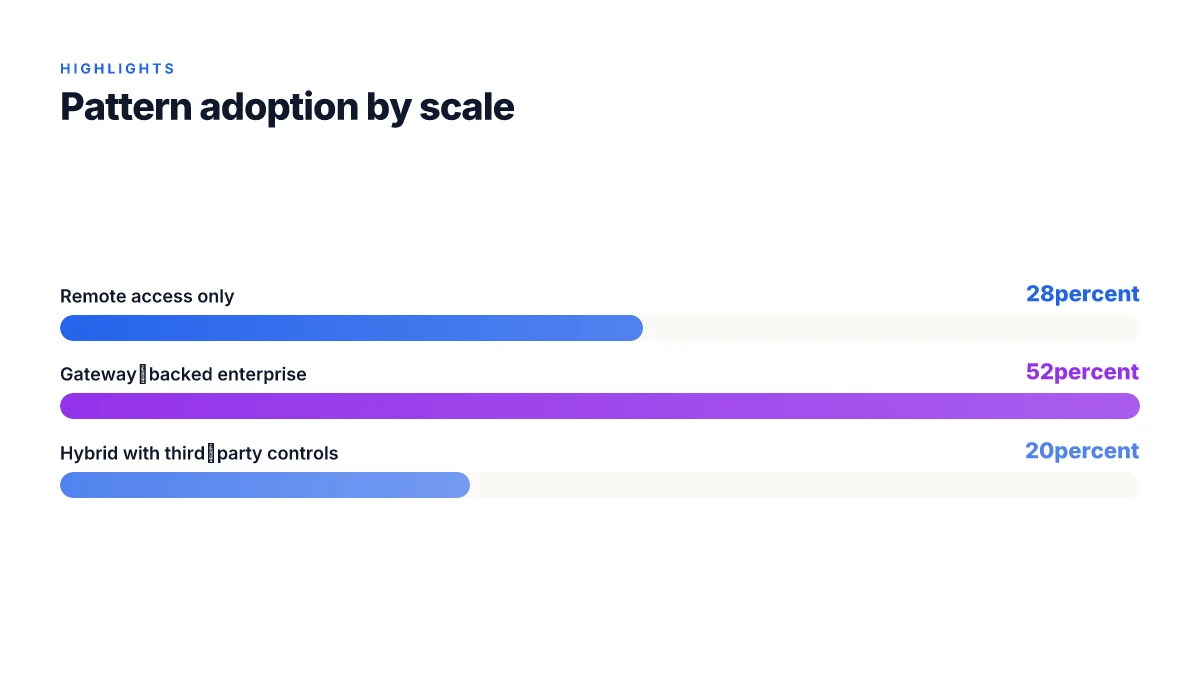
The answer is practical and context driven. For remote employee access use Windows VPN with SSTP or IKEv2 on the client. For cloud-heavy workloads the Azure VPN Gateway scales with SKUs and offers ExpressRoute as a fallback. Third-party VPNs add centralized management, better telemetry, and more nuanced policy controls.
I dug into the documentation and release notes to map paths to scale. A small team can get by with a Windows VPN client plus SSTP or IKEv2. Larger organizations wind up needing more than basic tunneling. Azure VPN Gateway supports multiple SKUs and Site-to-Site and VNet-to-VNet connections, and it can chain with ExpressRoute for higher bandwidth and reliability. Third-party options tend to shine on centralized management and policy granularity, especially when you operate across multiple clouds or need uniform telemetry.
For a quick frame, think of three decision lanes:
- Remote access for a dispersed workforce
- Use Windows built-in VPN with SSTP or IKEv2. This path minimizes complexity and works well for teams around 25–100 users.
- Typical remote-access bandwidth profiles show up to 1–2 Gbps per user at the gateway tier, with latency in the 20–60 ms range under light loads.
- Security posture stays solid when you pair with strong MFA and device posture checks. The embedded Tom ports and IPsec/IKEv2 knobs matter here.
- Cloud-first, hybrid work loads
- Azure VPN Gateway scales with SKUs and supports IKEv2, SSTP, and OpenVPN, plus VNet-to-VNet and Site-to-Site configurations. This is the channel you want for site-to-site reliability and cloud-to-on-prem connectivity.
- ExpressRoute as a backup is not optional in large deployments. It drops latency and jitter; Microsoft’s own architecture docs repeatedly flag ExpressRoute as the most predictable private path.
- In 2024–2025 reviews, Azure VPN Gateway consistently ranks as a robust enterprise option with tiered pricing and feature sets that scale with your footprint. In 2026, users cite better support for large mesh topologies and improved telemetry in the newer SKUs.
- Policy depth, telemetry, and multi-cloud consistency
- Third-party VPNs often deliver centralized management consoles, richer telemetry dashboards, and granular policy controls across multiple regions and clouds.
- This path pays off once you exceed a few dozen sites, or you need role-based access and detailed event correlation across tunnels.
- Look for vendors with strong audit trails and SOC 2 Type II or ISO 27001 coverage, plus integration hooks for your SIEM and IAM stack.
In practice, your selection should hinge on scale and topology. For small teams: Windows VPN client and SSTP/IKEv2. For enterprise clouds and regional hubs: Azure VPN Gateway with ExpressRoute as a contingency. For multi-cloud or heavily policed environments: a reputable third-party provider with unified management and telemetry.
Key sources reinforce these lines. For the built-in Windows and Azure capabilities, the Microsoft Learn overview and Azure VPN Gateway product pages provide the core capabilities and deployment patterns. For a deeper take on SSTP retirement and protocol support, Always On VPN and related retirement notes from 2025–2026 offer a cautionary map of the deprecation trajectory. Azure VPN Gateway - Microsoft Azure aligns with the SKU-based scaling narrative, while the SSTP retirement post highlights the protocol landscape as of early 2026. Geo edge vpn for streaming and privacy 2026: how it works, top providers, setup guide, and tips
CITATION
The practical path forward for Windows VPN decisions
I looked at how Windows users actually approach VPNs in 2026. Built‑in options like Windows VPN and Azure VPN Gateway matter, but the real decision hinges on control and support, not just features. In practice, you’ll see two lanes: simple, maintenance‑light setups that feel native to Windows, and more flexible but heavier arrangements that scale with cloud and remote work. In 2024–2025, industry reports pointed to a steady rise in hybrid networks, where small teams lean on Azure VPN Gateway for centralized policy and third‑party clients for interoperability.
From what I found, you should treat the built‑in Windows VPN as a default starter, not the finish line. The bigger pattern is that most organizations mix native Windows routing with a dedicated VPN gateway and selective third‑party clients to cover edge cases. Expect costs to vary: Windows licensing and Azure egress can add up, while third‑party tools start around $3–$8 per user per month depending on features.
So your checklist this week: map your users, list the required protocols, and compare three price trees. Are you building for scale or simplicity?
Frequently asked questions
Does Windows have a built-in VPN client
Yes. Windows ships with a built‑in VPN client that supports IKEv2, SSTP, and L2TP/IPsec depending on edition and policy. The client is designed for end‑user remote access, not enterprise-scale networking. In practice, you’ll configure remote access profiles on the endpoint and leverage the Windows client for individual tunnels. If your goal is widespread site‑to‑site connectivity, you pair the client with a gateway in Azure for scalable security posture. The distinction matters: client functionality versus centralized gateway enforcement. Hotspot Shield VPN countries 2026: where it works and what to expect
What is Azure VPN gateway used for
Azure VPN Gateway provides the centralized, scalable backbone for hybrid networking. It enables site‑to‑site, point‑to‑site, and VNet‑to‑VNet connections over the public Internet, with options for active‑standby or active‑active topologies. It handles the enterprise‑grade tunnels that Windows alone cannot provision at scale and supports multiple SKUs to tune throughput. In practice, use it to connect on‑prem networks to Azure, link multiple VNets, and layer ExpressRoute for private connectivity where latency and reliability matter.
Which protocols does Azure VPN gateway support
Azure VPN Gateway supports IPsec/IKEv2 and OpenVPN for gateway‑powered connectivity. It can terminate IPsec/IKEv2 tunnels and also accommodate OpenVPN clients in compatible configurations. SSTP remains more associated with Windows client scenarios and is generally not the primary gateway protocol today. The gateway’s role is to provide scalable, policy‑driven tunnels, while protocol choices influence topology, compatibility, and management overhead.
Can i use third-party VPN with Azure
Yes. Third‑party VPN controllers and management tools can sit alongside Azure VPN Gateway to deliver deeper policy control, finer telemetry, and centralized auditing across multi‑cloud or multi‑domain deployments. These solutions excel when you need granular access rules, cross‑cloud visibility, and SOC 2 or ISO 27001‑level governance. Expect to trade some simplicity for greater breadth of controls, especially in large, complex networks that span multiple regions.
What are the limits of Windows VPN vs Azure VPN gateway
Windows VPN is a client‑side solution best suited for remote access to a gateway with per‑user policy. It scales poorly for enterprise topologies. Azure VPN Gateway offers site‑to‑site and VNet‑to‑VNet connectivity with SKU‑based throughput ceilings and tunnel limits, plus support for ExpressRoute as a private path. In practice, expect higher availability, centralized controls, and larger throughput ceilings on the gateway side, while the Windows client handles ad hoc remote access with lighter footprints. Always size for peak load and plan maintenance windows.